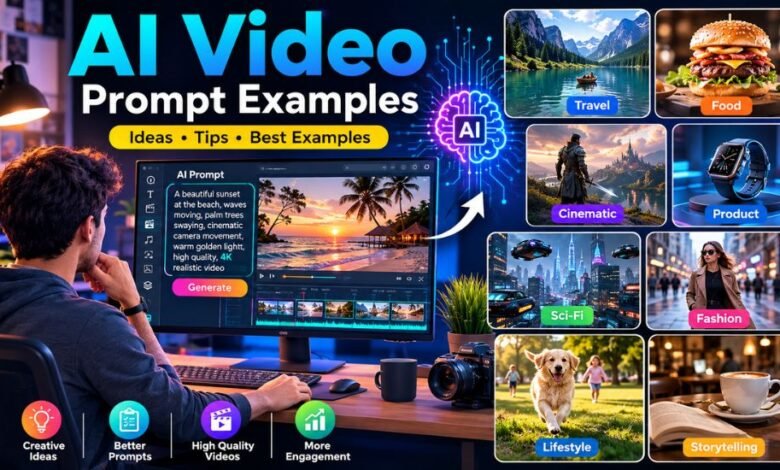
Artificial intelligence has changed the way people create visual content. What once required cameras, actors, locations, lighting equipment, editing software, and a professional production team can now be explored with AI video generation tools. The most important part of this process is often the prompt. A well-written prompt can help an AI video generator understand what should appear on screen, how the subject should move, how the camera should behave, and what kind of atmosphere the final video should have.
This is why AI Video Prompt Examples are becoming increasingly useful for beginners, content creators, marketers, bloggers, filmmakers, and social media professionals. Instead of starting with a completely blank text box, creators can study proven prompt structures and adapt them to their own ideas.
Current AI-video prompting guidance emphasizes describing the scene, subject action, camera movement, composition, lighting, and visual style clearly. Runway, for example, recommends concise, direct prompts and separating subject movement from camera movement.
What Are AI Video Prompts?
An AI video prompt is a written instruction that tells an artificial intelligence video-generation system what kind of video you want it to create.
A prompt can describe almost every visible or cinematic element, including:
- The main subject
- The location or environment
- What the subject is doing
- Camera position
- Camera movement
- Lighting
- Weather
- Time of day
- Visual style
- Mood
- Composition
- Background activity
- Level of realism
For example, a basic prompt might say:
“A woman walking through a city.”
Although understandable, this leaves many details open to interpretation.
A more detailed prompt could be:
“A young woman wearing a beige coat walks slowly through a rainy downtown street at night, neon signs reflecting on the wet pavement, gentle rain falling around her, cinematic tracking shot from the side, shallow depth of field, realistic lighting and natural movement.”
The second version gives the AI considerably more information about the intended scene.
Why AI Video Prompt Examples Are Important
Learning from examples can make AI video creation much easier. Many beginners know what they want visually but do not know how to describe it in a way that an AI model can interpret effectively.
Prompt examples provide a starting point.
Instead of thinking, “What should I write?”, creators can identify a suitable structure and replace the details with their own subject.
For instance, a cinematic prompt can follow:
Camera movement + subject + action + environment + lighting + style
This structure can be adapted to advertisements, travel videos, food content, fashion clips, storytelling, educational videos, and many other formats.
Another important benefit is consistency. When prompts clearly establish movement and visual details, creators have more control over the resulting footage. However, AI video generation is probabilistic, so even a carefully written prompt may produce unexpected results.
A Simple Formula for Writing AI Video Prompts
A useful starting formula is:
Subject + Action + Environment + Camera + Lighting + Style + Details
Here is an example:
“A professional chef prepares fresh pasta in a modern Italian restaurant kitchen, slowly rolling the dough by hand, camera gently pushes forward toward the chef, warm overhead lighting, steam rising from a nearby pot, realistic food textures, cinematic documentary style.”
The prompt contains several layers.
Subject: professional chef
Action: preparing and rolling pasta
Environment: modern Italian restaurant kitchen
Camera: gentle push forward
Lighting: warm overhead lighting
Details: steam and realistic textures
Style: cinematic documentary
This organized approach makes prompts easier to create, edit, and reuse.
AI Video Prompt Examples for Cinematic Scenes
Cinematic videos are among the most popular applications of AI video generators. Cinematic prompts can combine camera movement, atmospheric lighting, dramatic environments, and carefully defined actions.
Example 1: Rainy City
“A businessman walks alone through a busy downtown street during heavy evening rain, colorful neon signs reflecting across wet pavement, pedestrians carrying umbrellas, slow cinematic tracking shot from behind, soft atmospheric lighting, realistic water droplets, shallow depth of field, photorealistic urban film style.”
Example 2: Mountain Landscape
“A hiker stands on a high mountain ridge overlooking a vast valley at sunrise, clouds slowly moving between distant peaks, camera performs a gradual aerial pullback revealing the landscape, warm golden sunlight, natural atmospheric haze, cinematic adventure-film style.”
Example 3: Desert Journey
“A traveler walks across a vast desert at sunset, wind gently moving the fabric of their clothing, long shadows stretching across the sand, camera slowly tracks beside the traveler, orange sunlight and soft dust in the air, realistic cinematic photography.”
The key is not simply adding more words. The goal is to include the details that actually influence the desired shot.
AI Video Prompt Examples for Product Advertising
AI video can also be useful for creating product advertisements and promotional concepts.
A product prompt should clearly identify the product and describe how it should be presented.
Example 4: Smartphone Advertisement
“A premium black smartphone stands vertically on a polished reflective surface in a minimalist studio, camera slowly pushes toward the phone, subtle rim lighting outlines the edges, soft reflections across the glass screen, dark luxury background, realistic product photography, high-end commercial advertising style.”
Example 5: Watch Advertisement
“A luxury mechanical wristwatch rests on a dark marble surface, camera slowly rotates around the watch while soft highlights move across the metal case, dramatic studio lighting, detailed reflections, premium black background, elegant high-end advertising aesthetic.”
Example 6: Headphones
“Wireless headphones displayed on a modern pedestal in a dark studio, slow circular camera movement around the product, subtle blue ambient illumination, realistic reflections on the smooth surface, crisp product details, sophisticated technology commercial style.”
For product videos, unnecessary environmental movement can sometimes distract from the main item. Keeping the product and camera action clear can produce a more focused concept.
AI Video Prompt Examples for Food Videos
Food videos benefit from close-up shots, controlled movement, realistic textures, steam, pouring liquids, and carefully described lighting.
Example 7: Burger
“A freshly prepared gourmet burger sits on a wooden restaurant table, camera slowly moves toward the burger as steam rises gently from the warm patty, melted cheese glistening under soft restaurant lighting, crisp vegetables and toasted bun clearly visible, realistic food-commercial photography.”
Example 8: Chocolate Dessert
“A rich chocolate cake sits on a ceramic plate while warm chocolate sauce slowly pours over the top, close-up camera movement, soft natural window light, detailed glossy texture, subtle steam, shallow depth of field, premium food advertisement style.”
Example 9: Coffee
“Freshly brewed coffee pours slowly into a ceramic cup on a wooden café table, gentle steam rising from the surface, camera performs a subtle close-up push-in, warm morning sunlight entering through a nearby window, realistic liquid movement, cozy cinematic café atmosphere.”
These prompts work because they focus on simple actions rather than trying to make everything happen simultaneously.
AI Video Prompt Examples for Travel Content
Travel creators can use AI prompts to visualize destinations, landscapes, hotels, cultural experiences, and promotional concepts.
Example 10: Tropical Beach
“A peaceful tropical beach at sunrise with turquoise waves gently reaching the shore, palm trees moving softly in the morning breeze, camera slowly flies forward above the water toward the beach, golden sunlight, natural atmospheric haze, photorealistic luxury travel video.”
Example 11: European Street
“A narrow historic European street filled with colorful buildings and outdoor cafés, pedestrians casually walking through the scene, camera smoothly travels forward at street level, warm afternoon sunlight, realistic architecture and natural human movement, cinematic travel documentary style.”
Example 12: City Aerial
“Wide aerial view of a modern city at blue hour, traffic moving naturally along illuminated streets, buildings gradually lighting up as evening arrives, drone camera slowly rises and pulls backward, realistic urban atmosphere, cinematic travel-film aesthetic.”
AI Video Prompt Examples for Social Media
Short-form video is another major use case for AI-generated content. Social-media prompts should generally communicate one clear visual idea quickly.
Example 13: Fashion Reel
“A stylish young woman walks confidently along a modern city sidewalk, camera smoothly tracks beside her, natural hair and clothing movement, bright afternoon sunlight, fashionable urban background, realistic skin and fabric textures, premium fashion campaign aesthetic.”
Example 14: Motivational Video
“A runner trains alone on an empty road before sunrise, camera slowly tracks forward beside the runner, visible breath in the cool morning air, soft golden light appearing over the horizon, determined atmosphere, realistic cinematic sports commercial.”
Example 15: Luxury Lifestyle
“A luxury car drives slowly along a coastal road during sunset, camera follows from a low rear angle, ocean visible beside the road, warm reflections across the vehicle, gentle movement and realistic shadows, premium automotive advertisement style.”
AI Video Prompt Examples for Storytelling
AI video prompts can also create individual scenes for fictional stories, short films, and visual narratives.
Example 16: Mysterious Forest
“A young traveler walks carefully through an ancient forest at night, faint mist drifting between enormous trees, small glowing particles floating through the air, camera follows slowly from behind, moonlight filtering through the branches, mysterious cinematic fantasy atmosphere.”
Example 17: Emotional Scene
“An elderly man sits quietly beside a rain-covered window holding an old photograph, camera slowly pushes toward his face, soft grey daylight fills the room, curtain moving gently in the breeze, intimate composition, realistic emotional drama style.”
Example 18: Futuristic City
“A futuristic city street filled with glowing advertisements and autonomous vehicles, pedestrians walking naturally between illuminated buildings, camera moves smoothly forward through the crowd, reflections on wet pavement, atmospheric fog, realistic science-fiction cinematic style.”
Camera Movement Words for AI Video Prompts
Camera movement can significantly change the feeling of a shot. Prompting guides commonly discuss movements such as tracking, panning, tilting, orbiting, dolly movements, crane shots, and zooms.
Useful camera terms include:
- Dolly in: Camera moves toward the subject.
- Dolly out: Camera moves away from the subject.
- Tracking shot: Camera follows a moving subject.
- Pan: Camera rotates horizontally.
- Tilt: Camera moves vertically.
- Orbit: Camera moves around the subject.
- Crane shot: Camera moves vertically through space.
- Aerial shot: Camera views the scene from above.
- Static shot: Camera remains mostly stationary.
- Close-up: Focuses tightly on a subject or object.
- Wide shot: Shows more of the surrounding environment.
For beginners, it is usually better to choose one primary camera movement rather than filling a prompt with numerous conflicting movements.
How to Describe Lighting
Lighting helps establish the mood and appearance of a video.
Some useful descriptions include:
- Soft morning sunlight
- Golden-hour lighting
- Dramatic side lighting
- Warm indoor lighting
- Cool moonlight
- Neon city lighting
- Soft studio illumination
- Natural window light
- High-contrast cinematic lighting
- Moody atmospheric lighting
For example:
“A woman reads a book beside a large window, soft morning sunlight illuminating her face, gentle shadows across the room, slow camera push-in, realistic cinematic interior.”
The lighting description works together with the environment and camera movement rather than functioning as a separate visual effect.
Image-to-Video Prompt Examples
Image-to-video generation requires a slightly different approach. When an image already establishes the subject, composition, clothing, location, and visual style, the prompt can concentrate on movement.
For example:
“The woman gently turns her head toward the window while her hair moves naturally in the breeze. The camera slowly pushes forward. Keep the background and character appearance consistent.”
Another example:
“The product remains stationary while soft reflections move across its surface. Camera slowly rotates around the object. Maintain the original product shape and composition.”
This approach avoids unnecessarily redefining information that is already present in the source image.
Common Mistakes When Writing AI Video Prompts
One common mistake is creating an extremely complicated prompt containing several unrelated actions.
For example:
“A man runs, jumps, turns around, opens a door, rides a bicycle, waves to a crowd, while the camera zooms, rotates, flies upward, and changes perspective.”
This asks the model to handle too many things at once.
A better approach is to divide the concept into separate shots.
Another mistake is using vague language. Instead of saying “make it beautiful,” describe the visual characteristics that matter:
“Soft golden-hour light, shallow depth of field, warm highlights, realistic skin texture and cinematic composition.”
Creators should also avoid relying entirely on negative instructions. Current prompting guidance favors clear, positive descriptions of what should happen rather than overly long lists of things that should not happen.
Tips for Getting Better AI Video Results
A few practical habits can make prompt experimentation more efficient.
Keep the Main Action Simple
Start with one obvious action. Once the basic shot works, add complexity gradually.
Be Specific About the Camera
If camera behavior matters, mention it directly. “Camera slowly tracks beside the subject” is more useful than simply saying “cinematic camera.”
Establish the Environment
Give the AI enough context to understand the location. A beach, modern kitchen, crowded market, mountain trail, and futuristic city all require different visual expectations.
Describe Important Motion
Mention movement that should be visible, such as flowing water, moving clouds, walking, steam, hair movement, vehicles, or wind.
Use Style Carefully
Terms such as photorealistic, documentary, cinematic, commercial, fantasy, and editorial can help communicate the desired visual direction.
Test Variations
Instead of changing everything at once, modify one element at a time. You might first change the camera movement, then lighting, then environment, making it easier to understand which instruction affects the result.
A Reusable AI Video Prompt Template
For everyday use, creators can start with this template:
“[Camera movement] showing [subject] [action] in [environment]. [Important environmental details]. [Lighting description]. [Visual style]. [Motion or consistency details].”
For example:
“Slow tracking shot showing a cyclist riding through a misty mountain road at sunrise. Tall pine trees surround the road and light fog moves between the trees. Warm golden sunlight creates long shadows. Photorealistic cinematic travel style. Natural bicycle and clothing movement.”
This structure can be adapted to almost any subject.
Final Thoughts on AI Video Prompt Examples
The best AI Video Prompt Examples are not necessarily the longest ones. A strong prompt communicates the visual idea clearly, gives the model a manageable action, establishes the environment, and provides useful direction about camera movement, lighting, and style. As AI video technology continues to develop, prompting will remain an important skill for creators who want more predictable and visually appealing results.
Whether you are making product advertisements, travel reels, food videos, cinematic stories, social-media content, or image-to-video animations, studying examples can help you understand how different instructions affect the final result. The most effective approach is to start with a simple concept, test it, observe the output, and gradually refine the prompt.
For readers looking for more practical digital-content ideas, tutorials, and technology-focused topics, blogtrendnews can also be a useful place to explore additional articles and creative resources related to modern online content creation.